
 Clients
 Partners
 About us





Learn how to make your HTML emails Gemini-ready with technical conventions, content best practices, and client responsibilities.

With the launch of Gemini in Gmail, Gmail’s new AI-driven features for summarising and prioritising emails are now central to how emails are handled. While Mapp’s email frameworks are Gemini-ready, it is the content that determines how well an email is summarised and prioritised by Gemini. This document outlines the technical conventions for creating Gemini-ready emails and the client’s responsibilities in optimizing email content for Gemini.
To ensure your email campaigns are optimized for Gemini, certain technical elements must be implemented during the email creation process. These features should always be included to ensure your emails are Gemini-ready:
Note
Although this guidance has been written with Gemini in Gmail in mind, the same principles are also relevant to other AI tools and inbox-based AI features. Gmail has simply brought this into sharper focus because of Gemini’s visibility and early positioning within the email client.
Being accessibility-ready or accessibility-friendly helps support AI interpretation more broadly, because clear structure, readable text, meaningful ALT text, descriptive links and logical content flow all make an email easier for both people and AI systems to understand.
Use lang and xml_lang attributes in the <html> tag to help Gemini’s AI correctly interpret and summarise the content of your emails, ensuring it understands the language used.
Example:
<html xmlns='http://www.w3.org/1999/xhtml' xmlns:v='urn:schemas-microsoft-com:vml' xmlns:o='urn:schemas-microsoft-com:office:office' lang='en' xml_lang='en'>To ensure email content is correctly interpreted and structured by both screen readers and Gemini’s AI, it’s important to mark tables used for layout as purely structural.
Example:
<table class='mWidth' role='presentation' width='600' cellpadding='0' cellspacing='0' border='0' align='center' style='width: 600px;'>The following guidelines help ensure that the content within emails is easy to process, summarise, and prioritise by Gemini.
Gemini’s AI will use ALT text to understand the content of images. Always include descriptive ALT text for relevant images to help Gemini’s AI interpret the image’s purpose.
Example:
<img src='image.jpg' alt='Download your free guide' />For decorative images, such as those used for layout purposes (e.g., spacing, backgrounds), leave the ALT attribute empty (alt=''), so Gemini’s AI understands these images are not important to the content.
Example:
<img src='spacer.png' alt=''>While Mapp’s frameworks provide the foundation for Gemini-ready emails, the client is responsible for the content. To ensure emails are Gemini-compliant, clients must follow these guidelines:
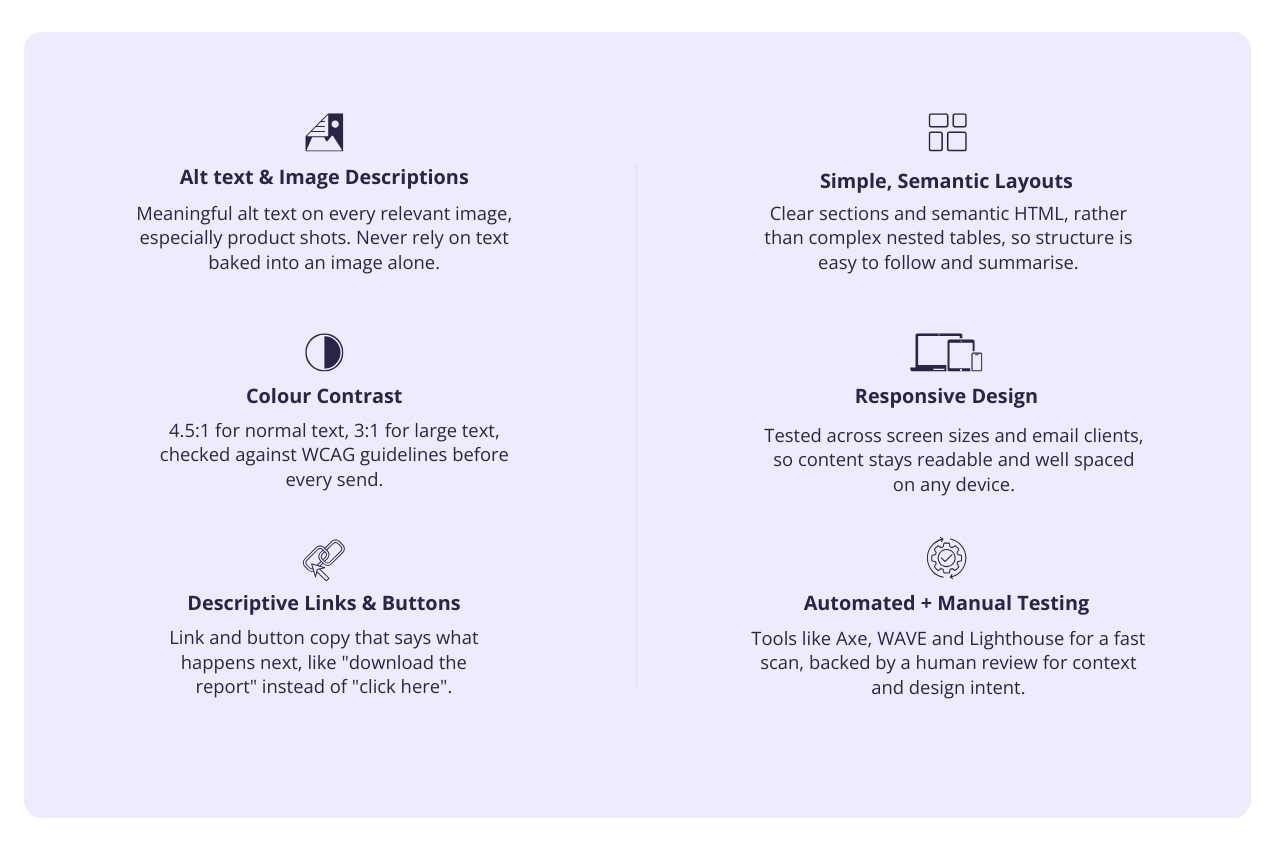
Gemini’s AI will assess the contrast between text and background to help summarise content. Adhering to WCAG guidelines for color contrast ensures the email is both visually accessible and AI-friendly.
For every relevant image, the client must write meaningful ALT text. This will help both screen readers and Gemini’s AI accurately interpret the images. Images used for actionable items (like buttons or product images) should always have descriptive ALT text.
Color choices must meet accessibility standards and ensure high visibility across devices. This also impacts how Gemini summarises and prioritises content based on clarity and legibility.
These are best practices that will ensure your emails are not only Gemini-friendly but also accessible and engaging for all users.
Avoid using complex layouts with excessive nested tables. Gemini’s AI needs to be able to identify and summarise sections easily, which is more challenging with complex HTML structures. A clear and concise layout makes it easier for Gemini’s AI to prioritise content.
Gemini’s AI will evaluate how your content adapts across devices. Being mobile-optimized not only ensures better engagement but also improves the likelihood of your email being summarised effectively by Gemini.
Once your email is created, run it through tests that focus on Gemini readiness:
Mapp’s Engage CMS is Gemini-ready from a framework and code perspective. The CMS already includes the key accessibility-supporting features expected in HTML email, such as language attributes, presentation roles for layout tables, support for ALT text, responsive structure, and content areas that can be populated with clear, readable text.
These same features are also what helps support Gemini in Gmail. Gemini does not currently have a formal compliance standard in the same way accessibility does, so Gemini-readiness is more about making email content clear, structured, readable, and easy to interpret. In practice, the foundations that make an email accessibility-ready are also the foundations that help make an email Gemini-ready.
However, Mapp cannot make a final client message Gemini-ready or accessibility-compliant through code alone. The final outcome depends on the content added by the client. This includes meaningful ALT text, clear copy, descriptive links and buttons, suitable color contrast, mobile-friendly content, and ensuring important information is not only placed inside images.
By using the CMS correctly and following Gemini-ready content guidance, clients can help ensure their emails are easier for Gemini to understand, summarise, and prioritise, while also creating clearer and more usable emails for recipients.



 DE
DE